
Confirm the monthly fees and billing day. Check the settings before turning on monthly invoices. You can send invoices without Finix. To collect payments through Dip, complete Finix onboarding first.
Set the monthly billing rules
Use this to set up billing or change the billing day.
Open Business Settings
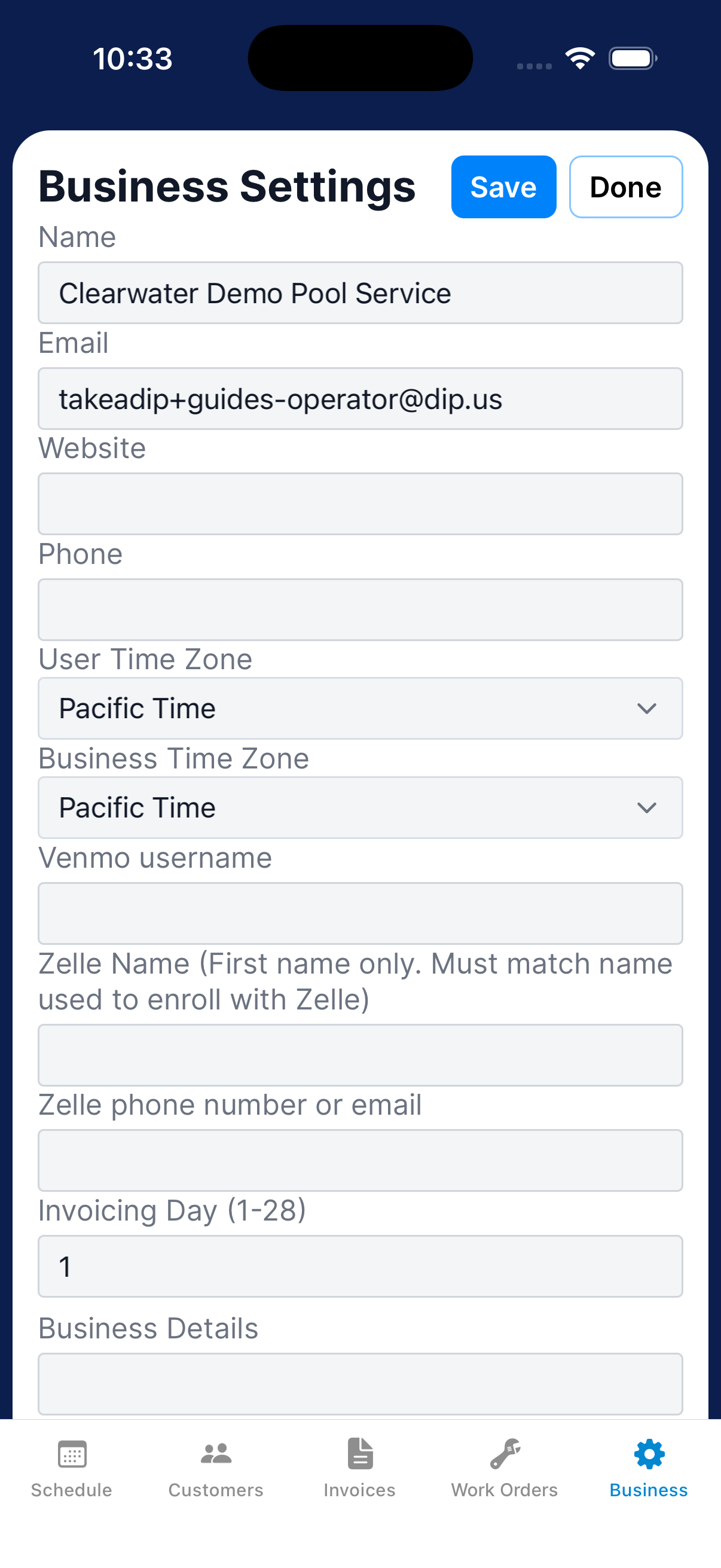
Go to Business → Settings.
Set the invoicing day
Enter an Invoicing Day from 1 through 28. Add your Venmo username or Zelle information if you use them.
Enable monthly invoices
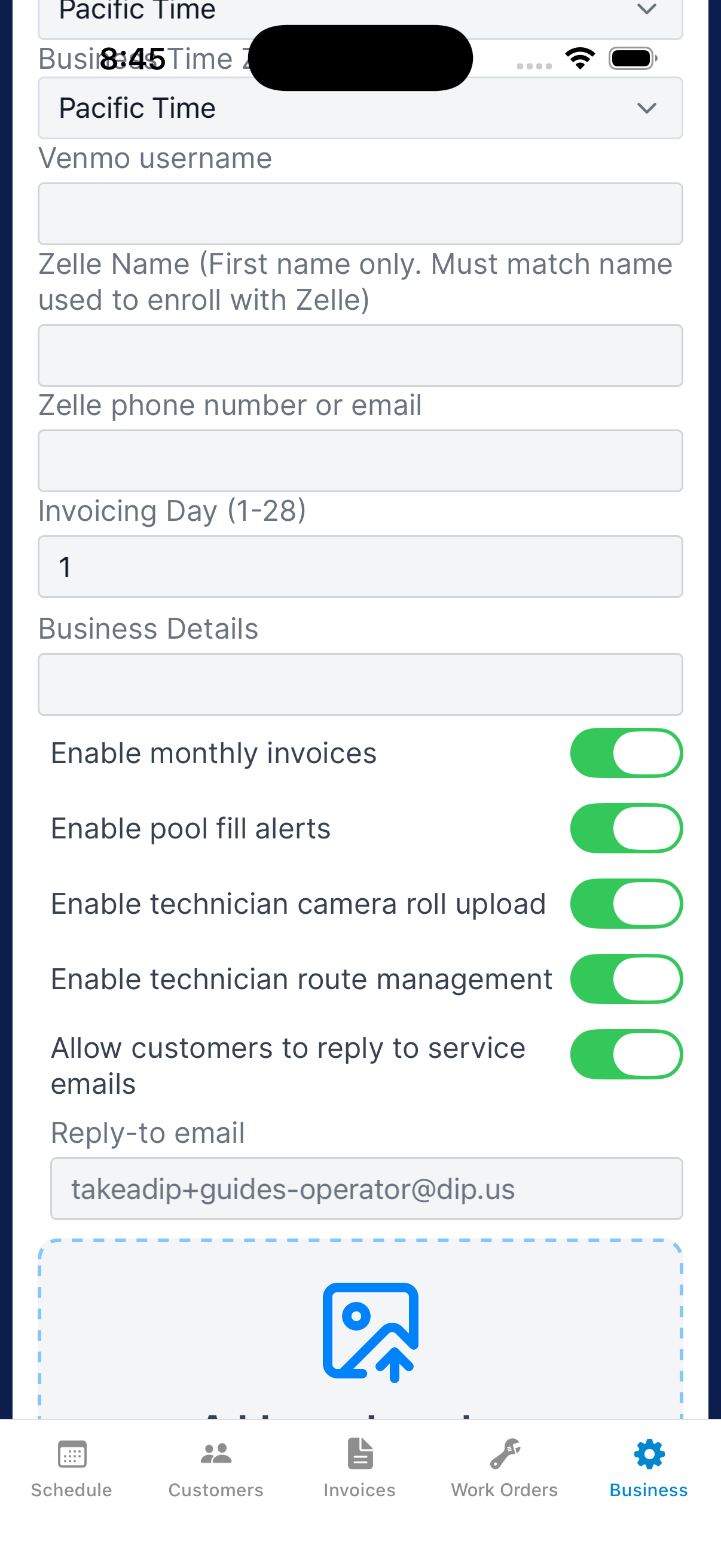
Tap Enable monthly invoices. Read the confirmation and continue only when you’re ready.
Save and check customers
Save the settings. Review each customer’s monthly service fee under their Service settings.
Review and adjust an upcoming invoice
Check the preview before the billing day, especially if you added a charge or credit.
Open upcoming maintenance
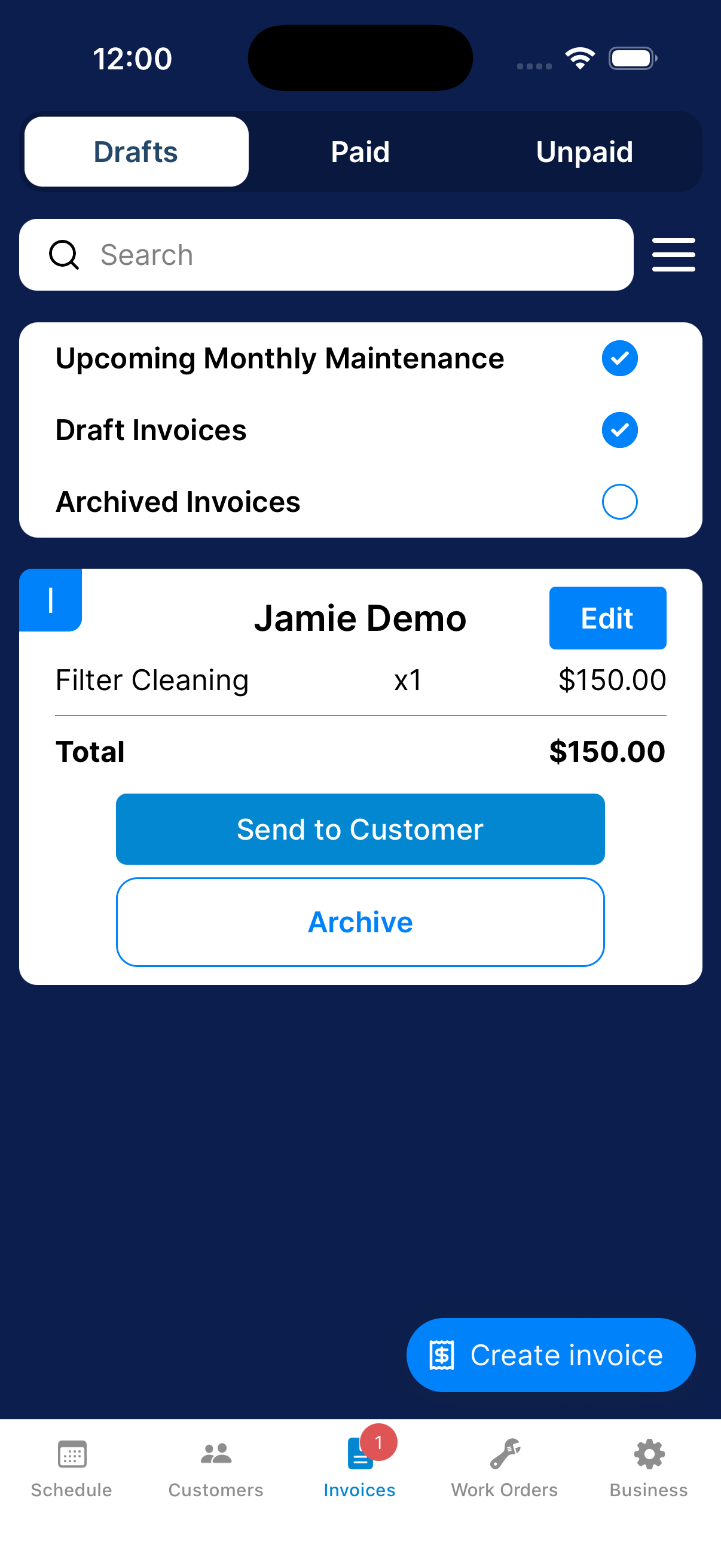
Go to Invoices → Drafts. Use the filter menu to show Upcoming Monthly Maintenance.
Choose Edit
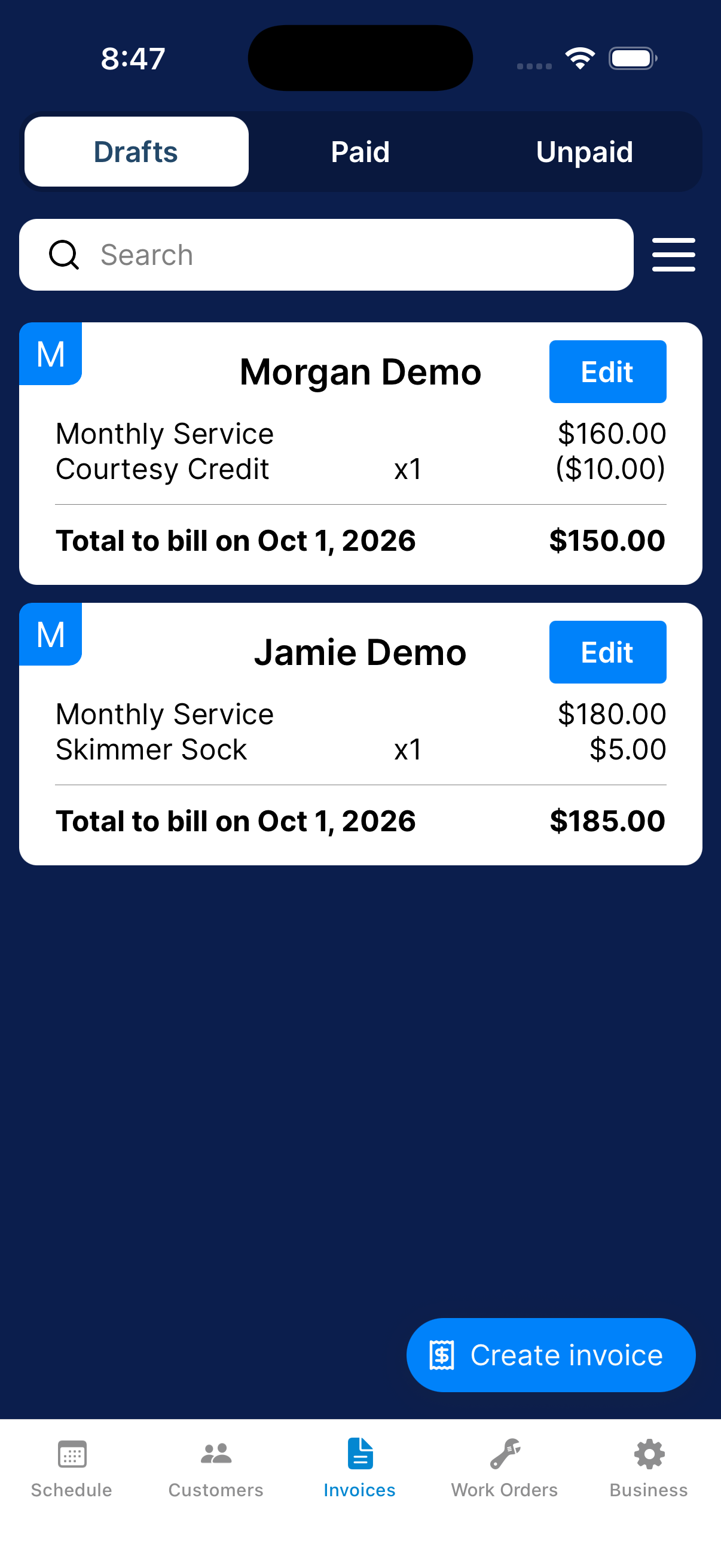
Find the customer’s upcoming maintenance card and tap Edit. Check the date and total.
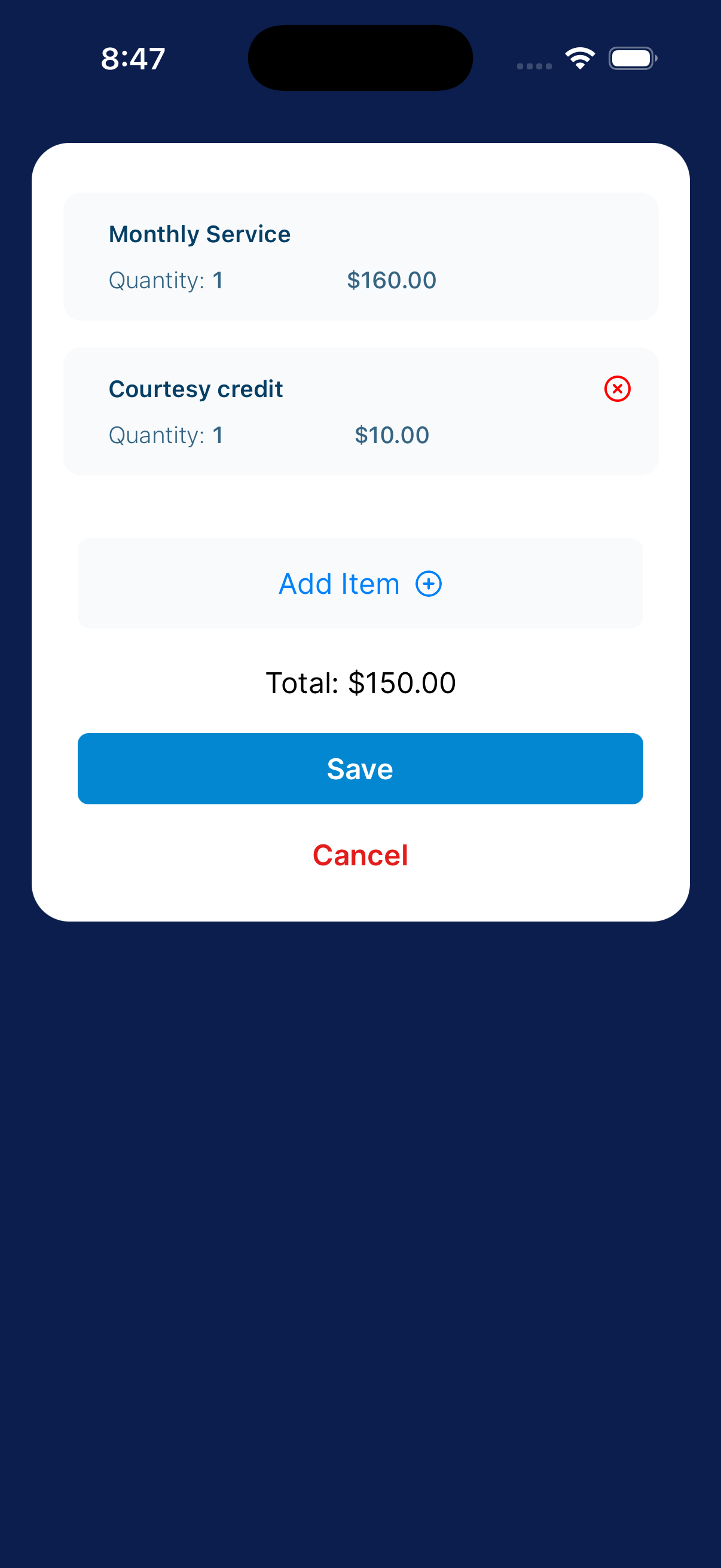
Adjust the items
Use Add Item for an additional charge or credit. Check the updated total, then tap Save.
Use Cancel to leave without saving.
A $10 credit lowers a $160 monthly service total to $150. Check the card again after saving.
Set up Finix to collect payments through Dip
Finix processes payments for Dip. You need Finix onboarding to collect payments through Dip. You can still create and send invoices without it.
Check the current setup status
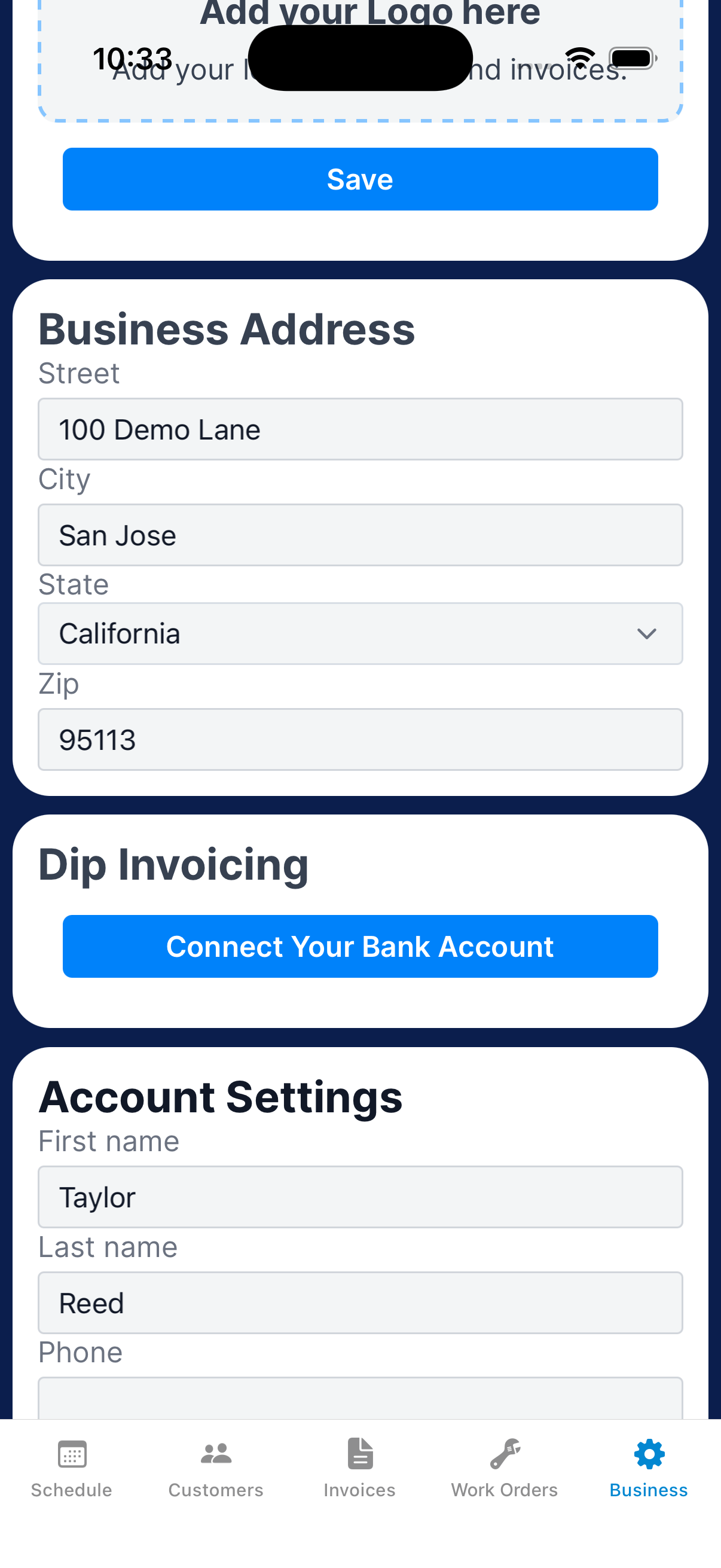
Go to Business → Settings and find Dip Invoicing. Tap Connect Your Bank Account or Continue Onboarding to start or resume Finix onboarding.
You can send invoices before onboarding is complete.
Complete Finix onboarding and check approval
Have your business and banking information ready. Follow the instructions in the Finix form, then return to Business Settings to check your onboarding status and any requested follow-up.
Confirm approval before collecting payments through Dip.
What happens next?
Before the billing day, check each upcoming invoice, its fee and any changes.
Need a hand?
Do I need Finix before sending invoices?
You can create and send invoices without Finix. To collect payments through Dip, complete Finix onboarding first. If a customer pays another way, use Record a payment received outside Dip to update the balance.