
Before you begin
Confirm the amount, payment method, date, and time. Use this when the customer paid outside Dip. Finix onboarding is required to collect payments through Dip.
1
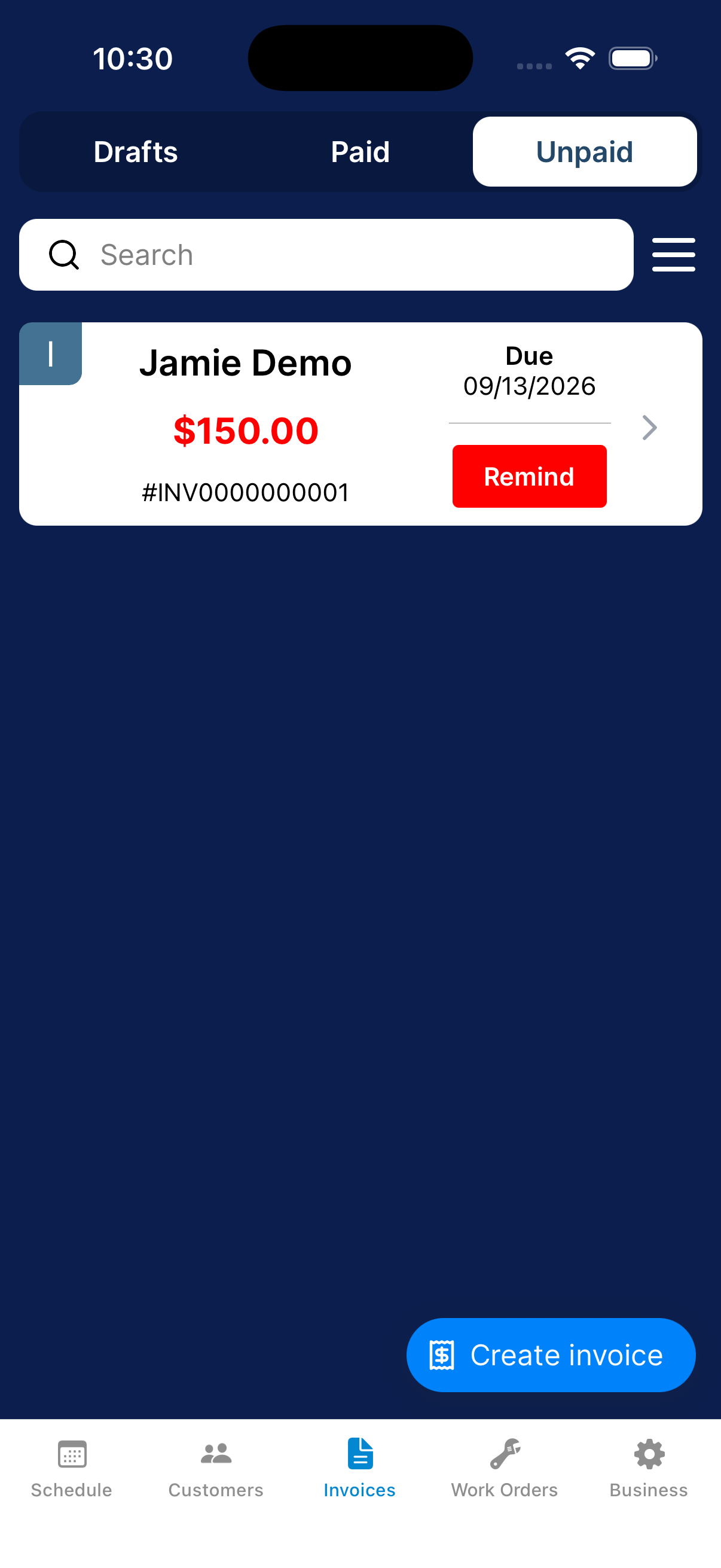
Open the unpaid invoice
Go to Invoices → Unpaid and open the correct invoice.
2
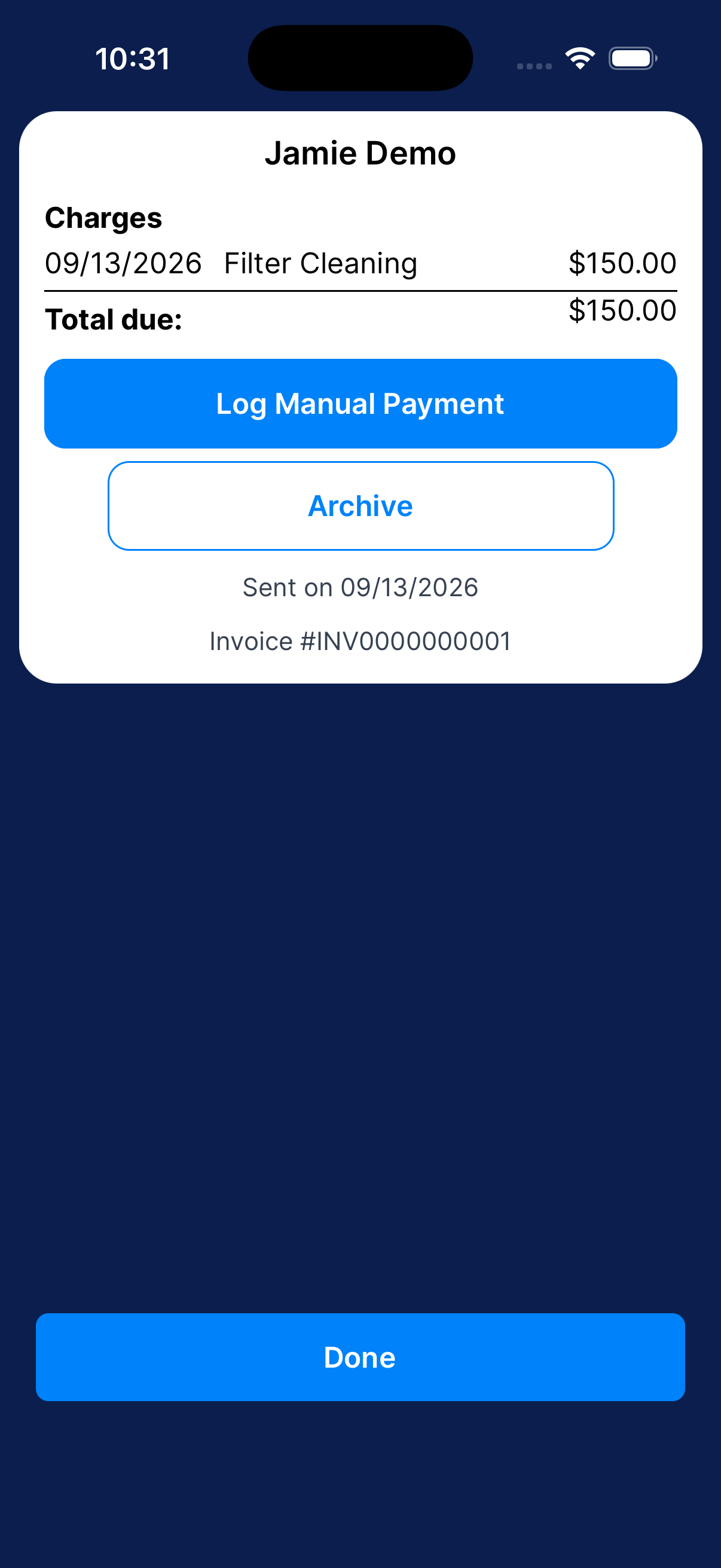
Choose Log Manual Payment
Open the manual-payment form from the invoice details.
3
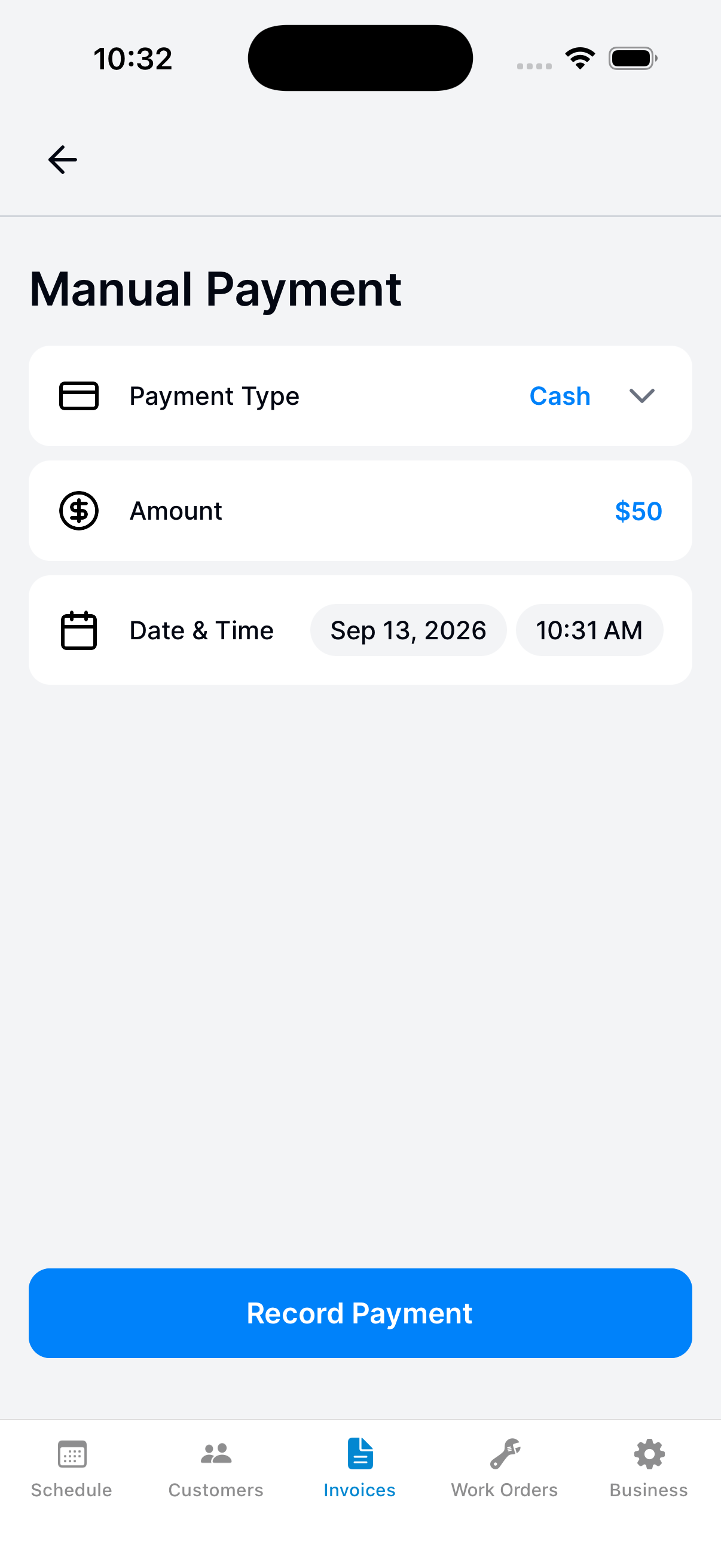
Enter the payment
Choose the payment method and enter the amount you received. This records an outside payment.
It does not collect money.
Use the date you received the money, not the invoice’s due date.
4
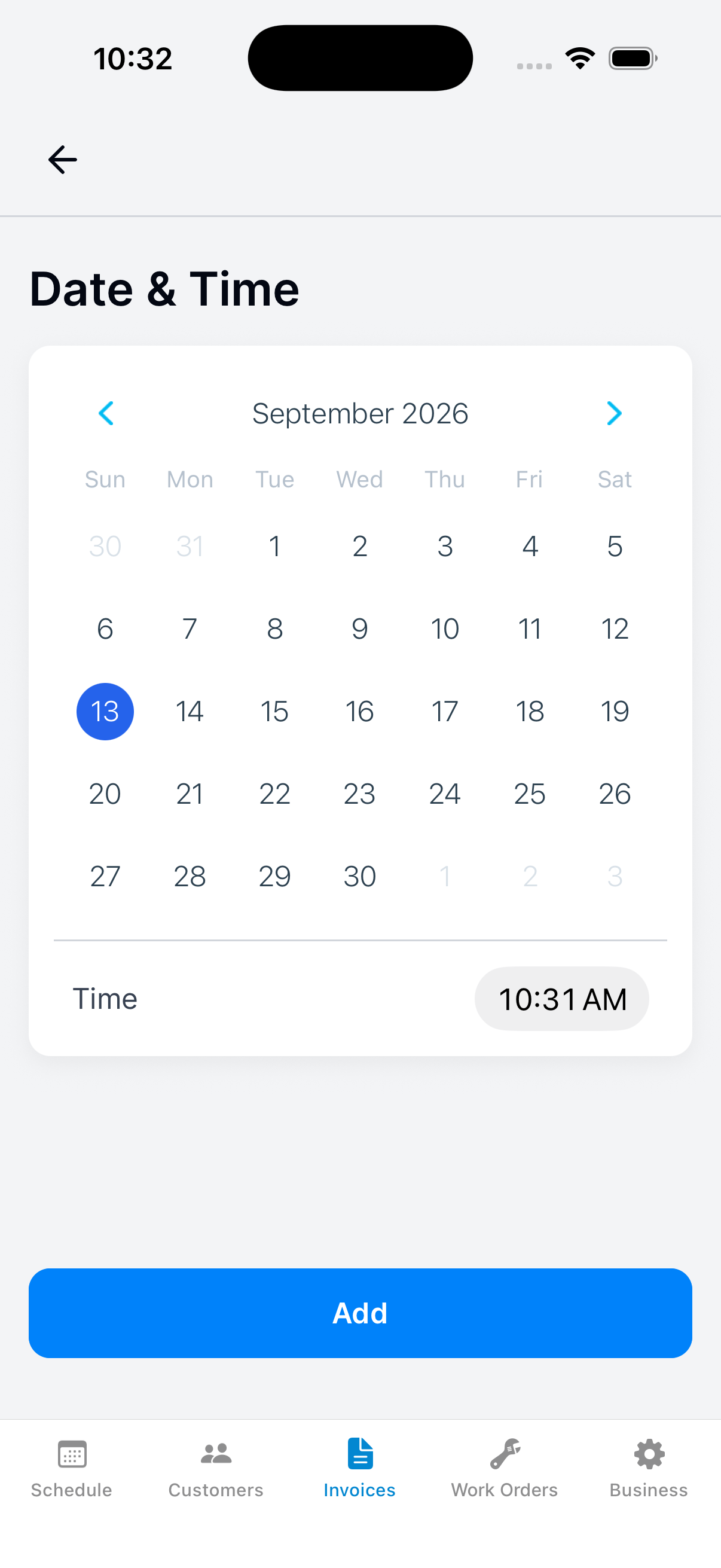
Set the received date and time
Tap Date & Time. Select the date and time the money was received, then tap Add.
5
Submit and check the balance
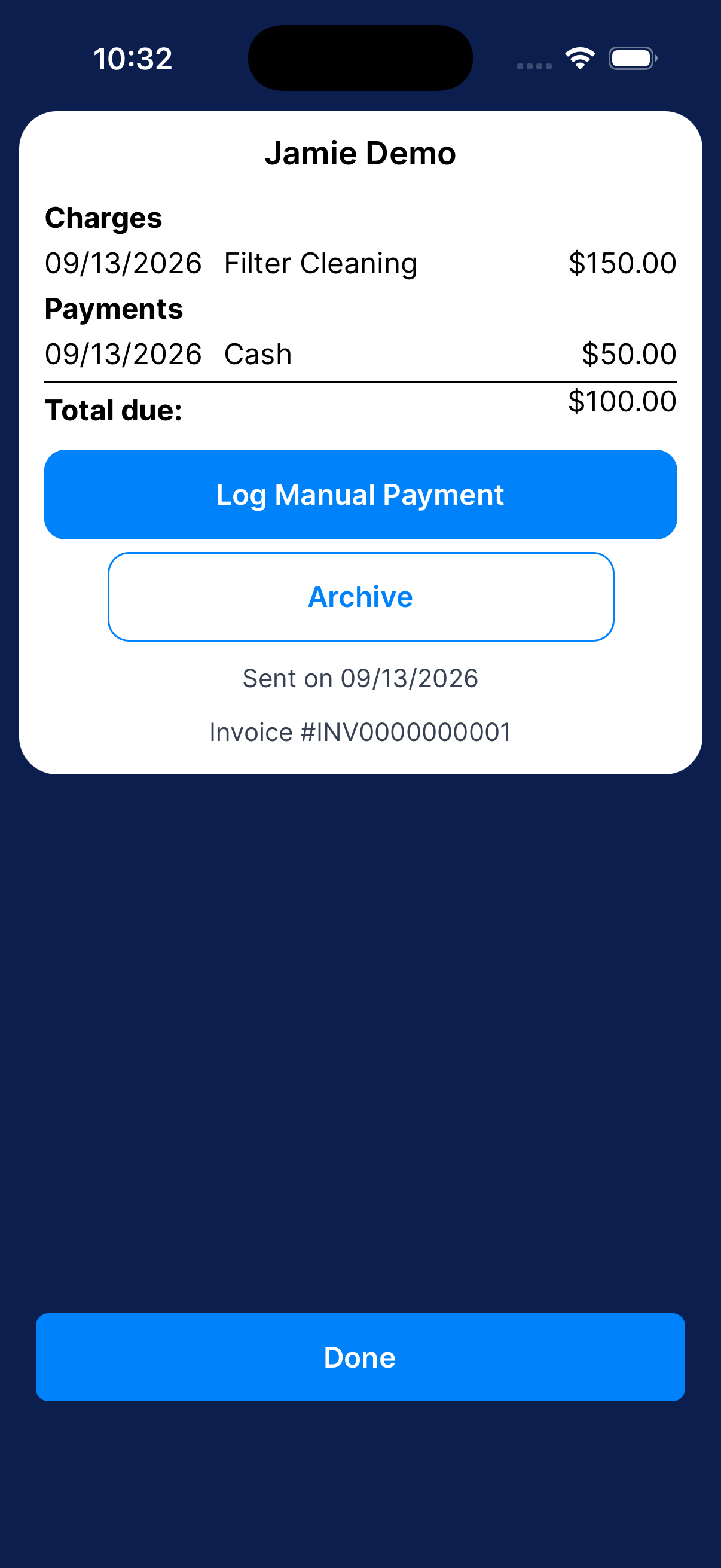
Tap Record Payment. Return to the invoice and check the payment and balance.
A $50 payment on a $150 invoice leaves $100 due.
What happens next?
Dip adds the payment to the invoice. It does not collect money from the customer.